Everyone on the same countdown.
Publish the weekend once. It lands on the garage screen, in the browser, and on every phone in the team.
02
The same schedule, in a pocket.
Schedule
Next Up2d 0h
FP1
Details
Upcoming
Practice
2 days, 3 hrs
FP2
Details
Practice
2 days, 21 hrs
FP3
Details
Qualifying
3 days, 2 hrs
Qualifying
Details
Race
3 days, 6 hrs
Race
Details
My Events
Championships
IGTS Cup
2026Public
GTWC Endurance
2026Public
IGTE
2026Public
GTWC Sprint
2026Public
Ferrari Challenge Australia
2026Public
Ferrari Challenge Japan
2026Public
Ferrari Challenge
2026Public
Streams tied to a championship series. Users subscribe to the whole stream.
Standalone
No standalone streams
One-off event streams not part of a championship.
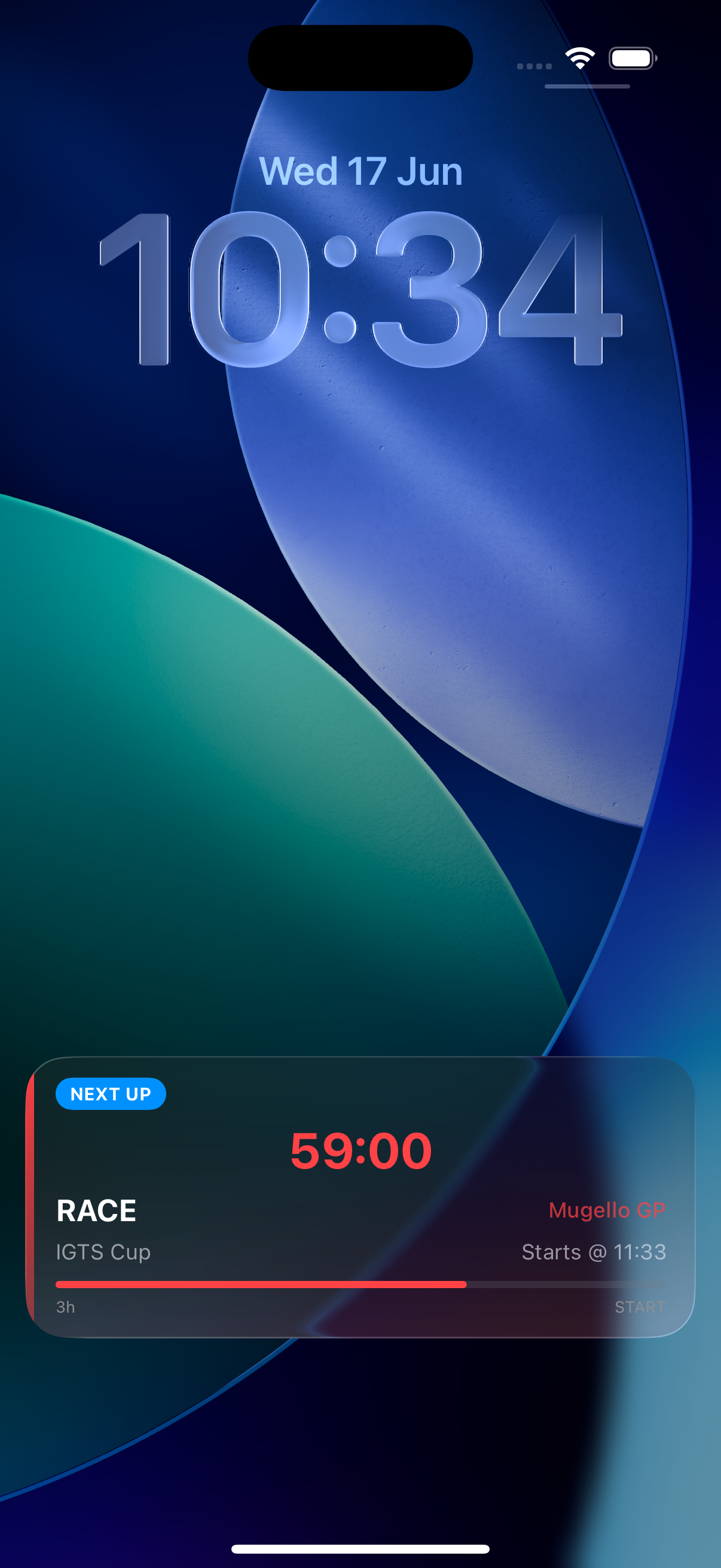
NEXT UP59:00
RACEMugello GP
IGTS CupStarts @ 11:33
3hSTART
SCREEN 01 / 03 — SCHEDULE
Every stream you follow, in one ordered list.
SCREEN 02 / 03 — MY EVENTS
Run the weekend from the phone.
SCREEN 03 / 03 — LIVE ACTIVITY
The next session, without unlocking.
03
Get TimeTool.
FREE TO USE. SIGN IN WITH APPLE OR GOOGLE.