Car Event Tracker replaces the complex Excel templates that slow your team down. Events, runsheets, setup sheets, fuel strategy, endurance management — one app, every category, every session.
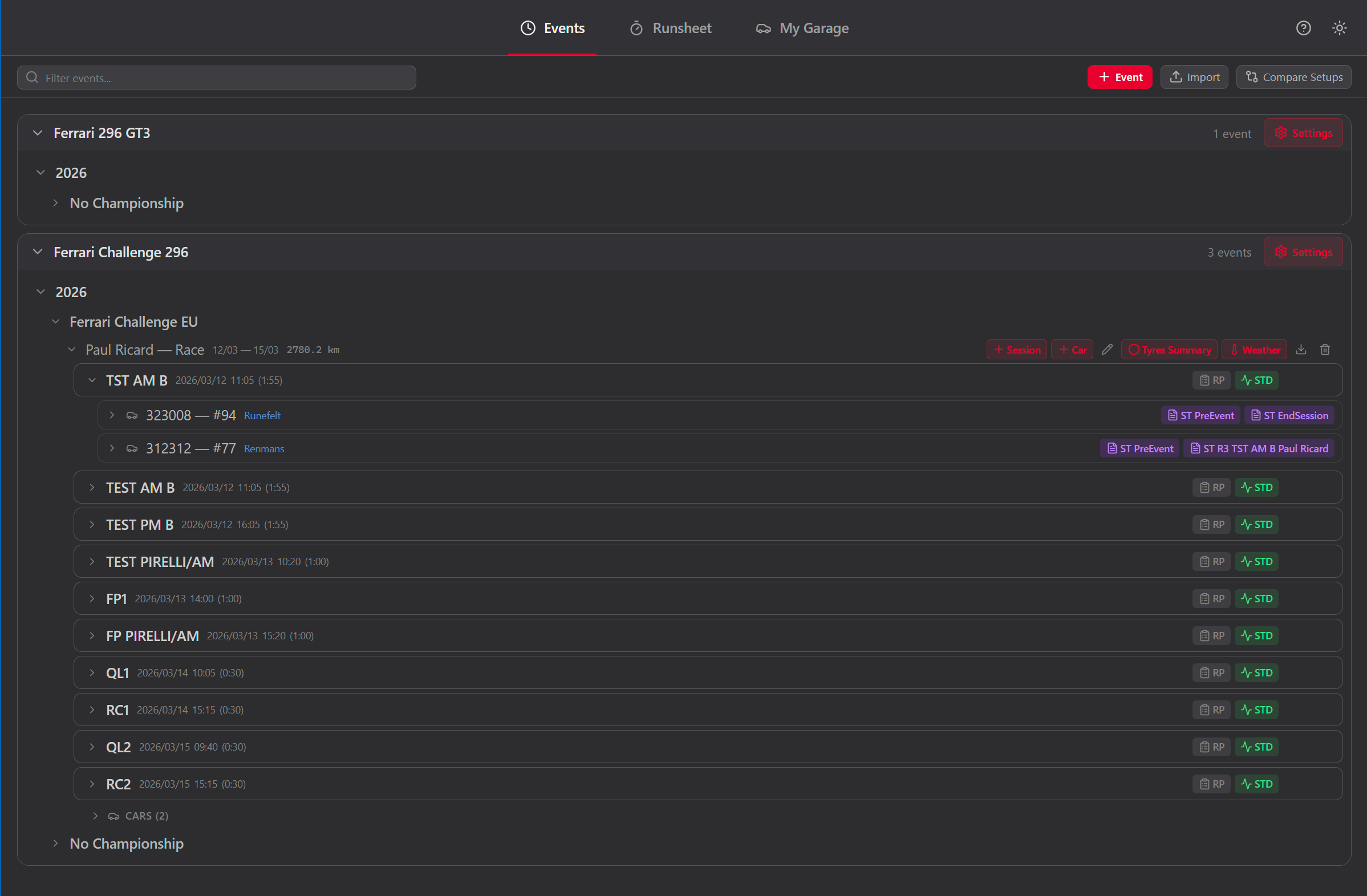
The Events tab is your centralized archive. Create events with track, date, championship, and team context. Add sessions inside each event. Every setup sheet and runsheet links back to an event — nothing gets lost.
Browse all events for the active vehicle. Filter by track, date, championship, or session type. Each event stores full context: car number, chassis, drivers, engineer, mechanic.
Add multiple sessions per event (FP1, FP2, Qualifying, Race). Each session can have its own setup sheet and runsheet.
Select two setup sheets from any session and compare side by side. Changed values are highlighted so you see exactly what moved between runs.
Export a full event (or individual sessions) as JSON. Import on another machine or share with teammates. All context travels with the data.
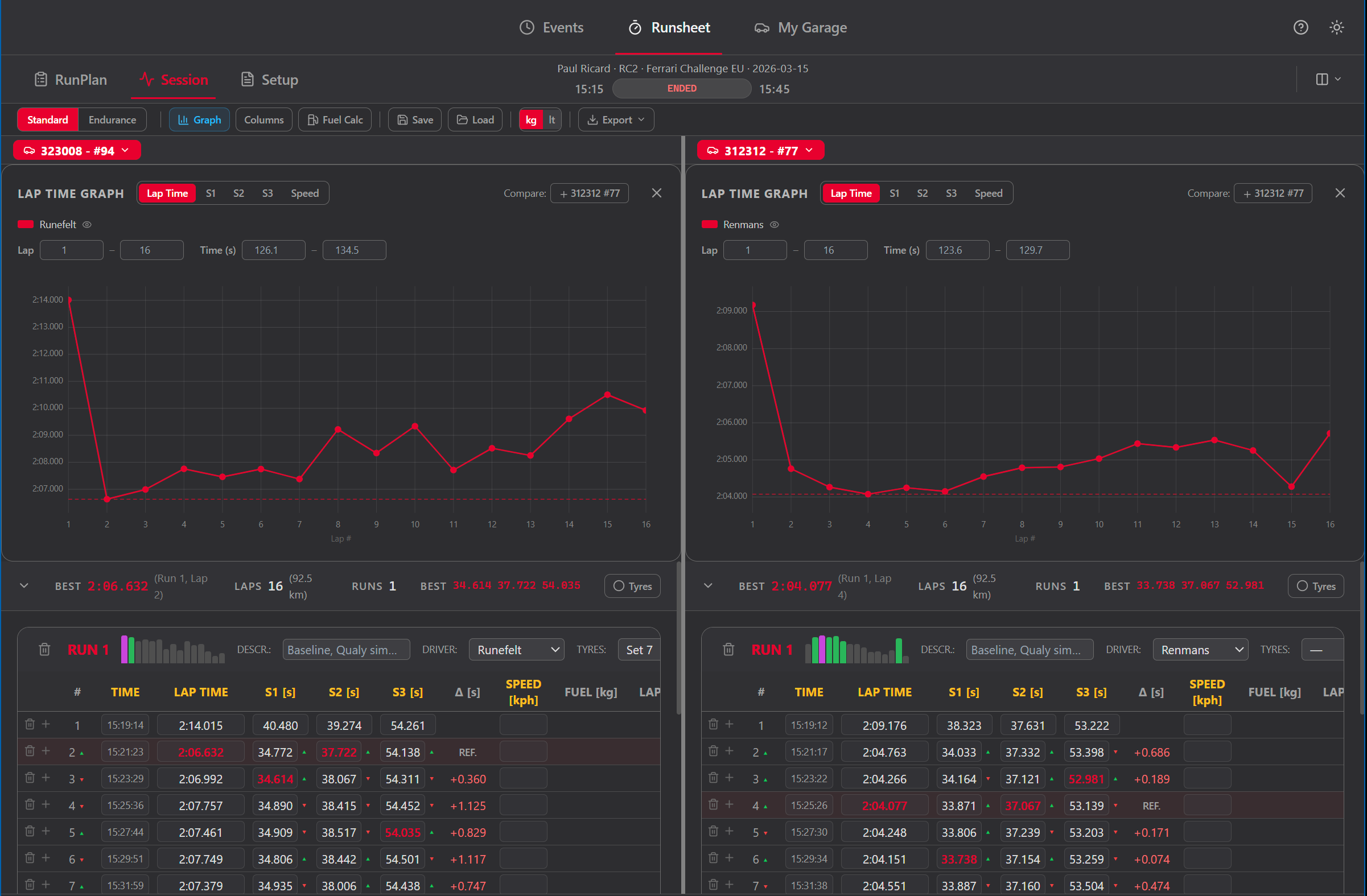
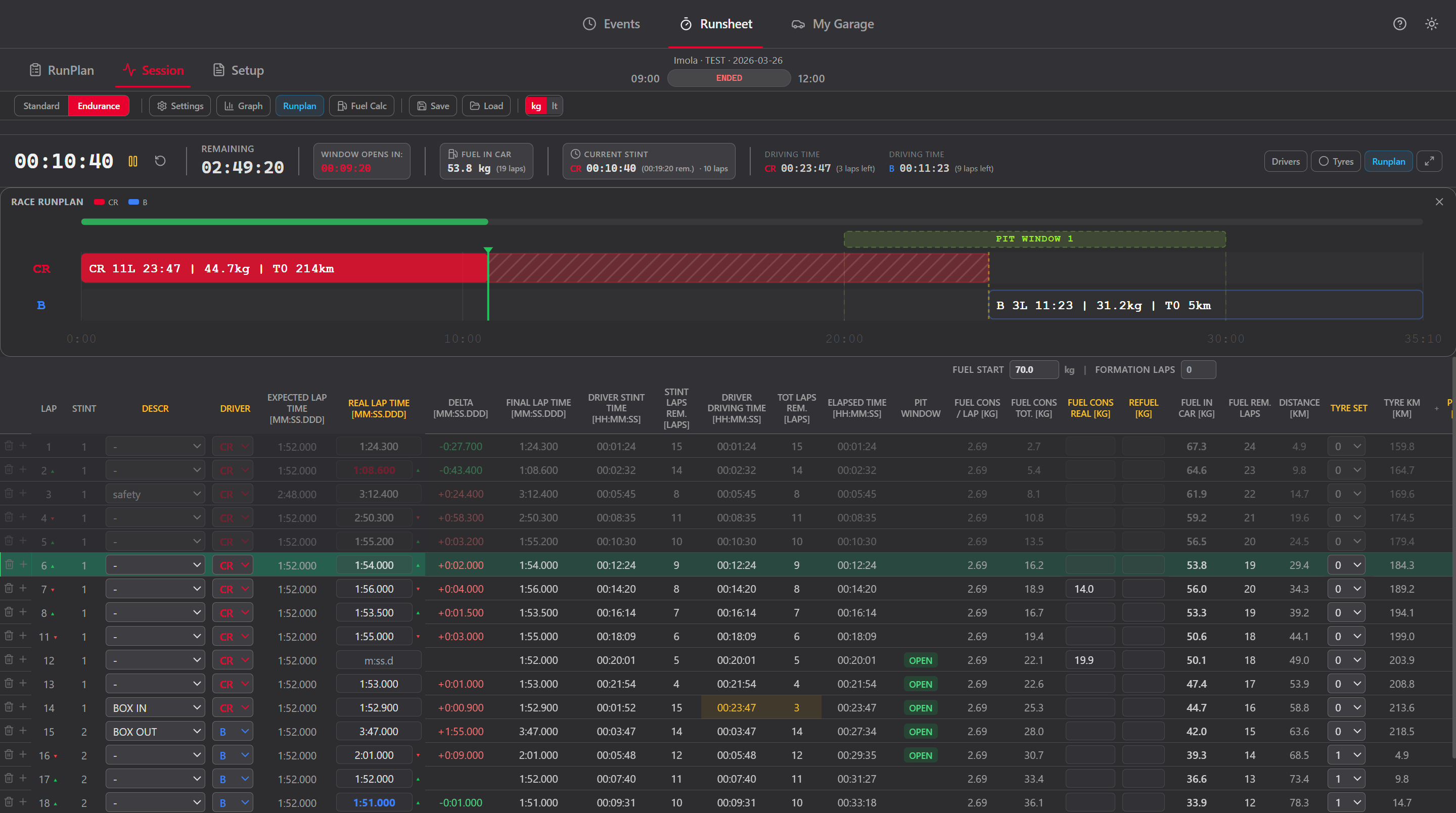
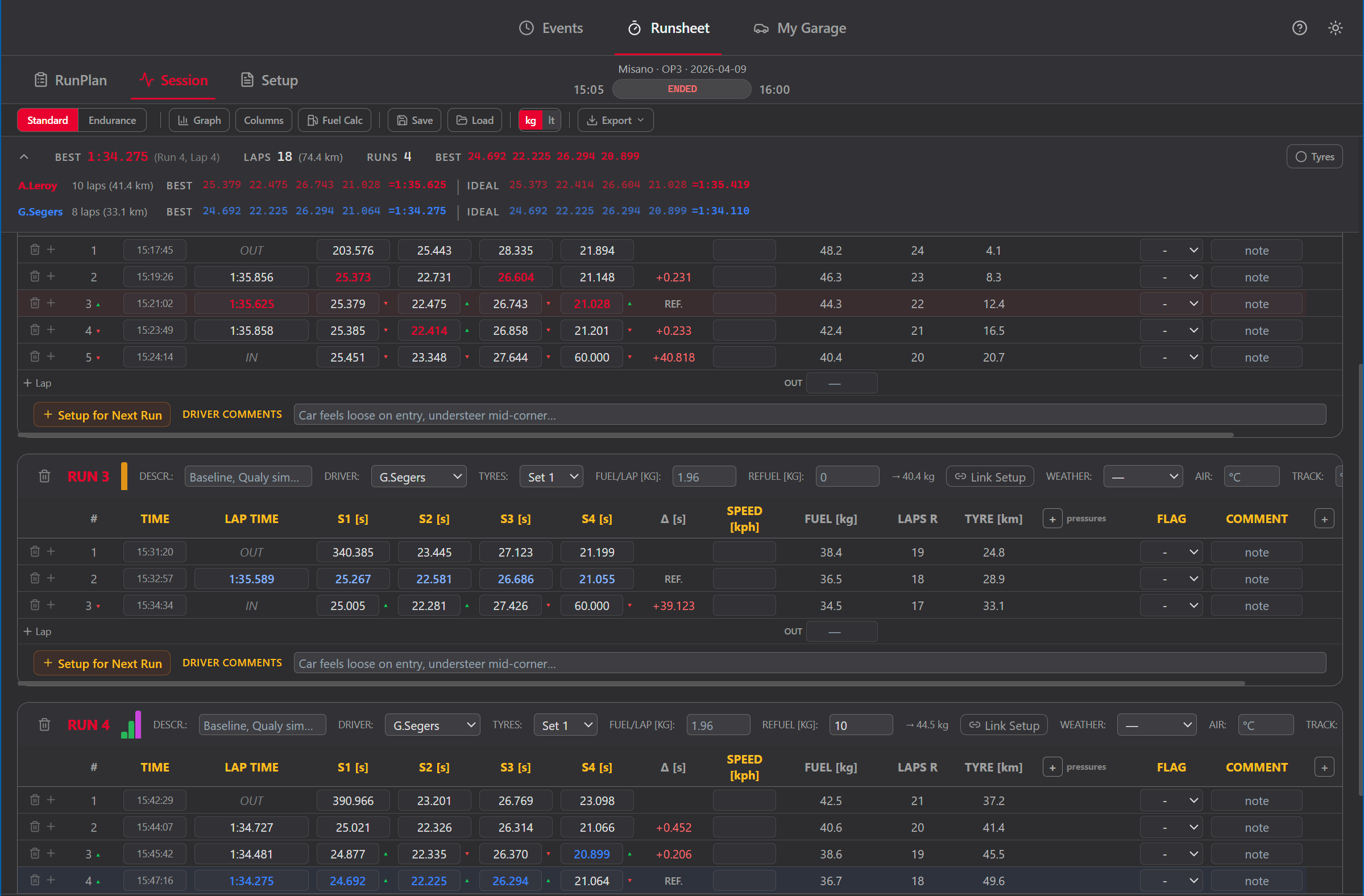
Standard mode is your digital run sheet for practice and qualifying sessions. Organize laps into runs, record lap times with up to 6 sector splits, track fuel consumption, and switch tyre sets — all while the session timer counts down.
Group laps into runs. Each run tracks driver, tyre set, fuel start, and optionally links to a setup sheet. Best lap and sector bests are highlighted automatically.
Start, pause, and reset the timer. Remaining time and elapsed time update in real time. The current lap is highlighted in the table.
Visualize lap time trends with built-in graphs. Export the full runsheet to clipboard or file for post-session analysis.
Add per-vehicle custom columns (dropdowns or free text) to log anything that matters for your category — weather changes, balance notes, driver feedback.
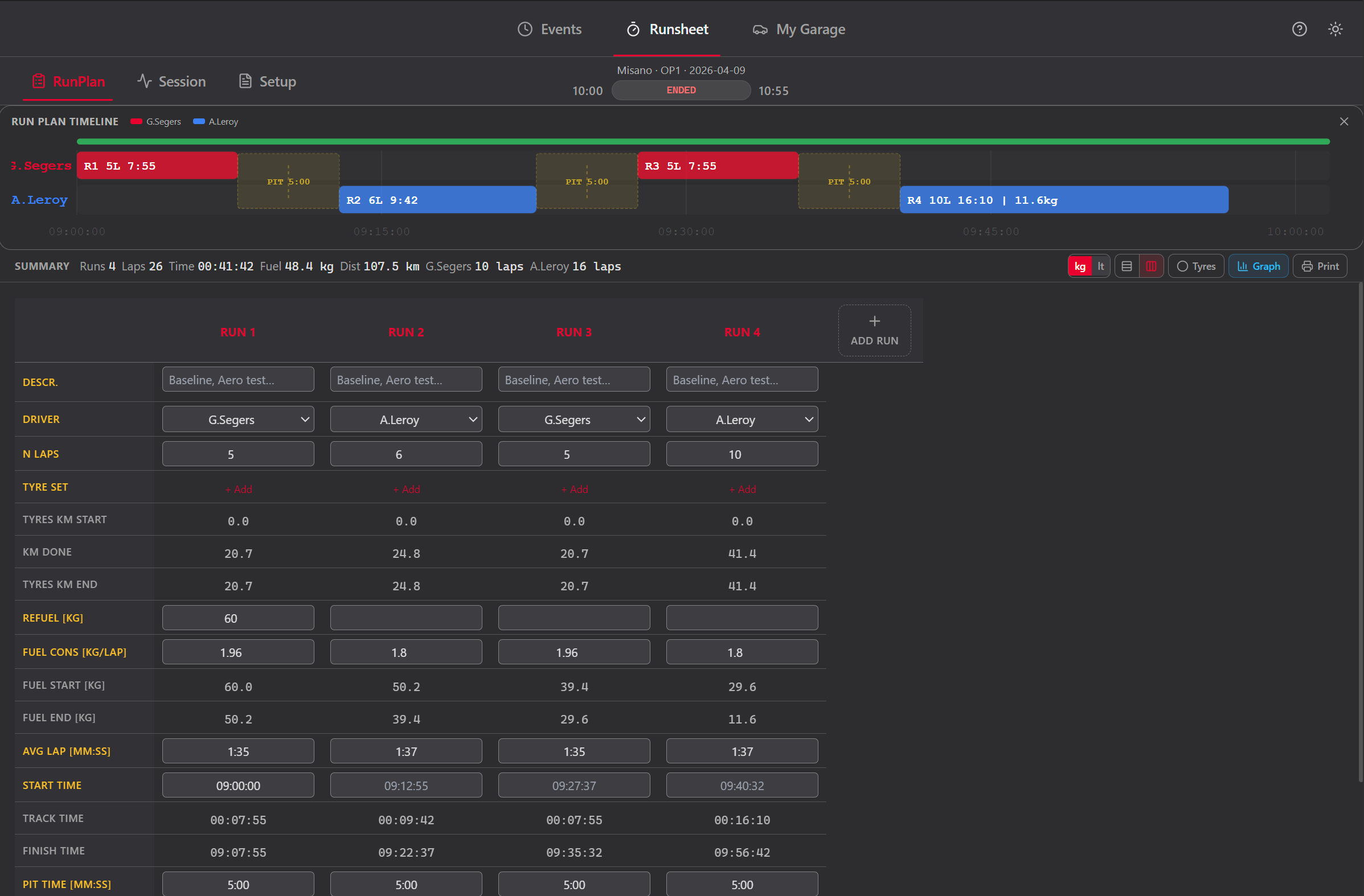
The RunPlan sub-tab lets you lay out the session before the car leaves the garage. Define runs with driver, tyre set, fuel load, and planned laps. Print the plan or keep it open on a second screen.
Add runs in order. Each run has driver, tyre set, planned laps, and fuel start. Drag to reorder. The summary bar shows total laps, time, and fuel.
Define tyre sets for the session. Track which set is used in which run and see total mileage per set.
Print the run plan for the garage wall. The layout is optimized for readability on paper — no dark backgrounds, clean borders.
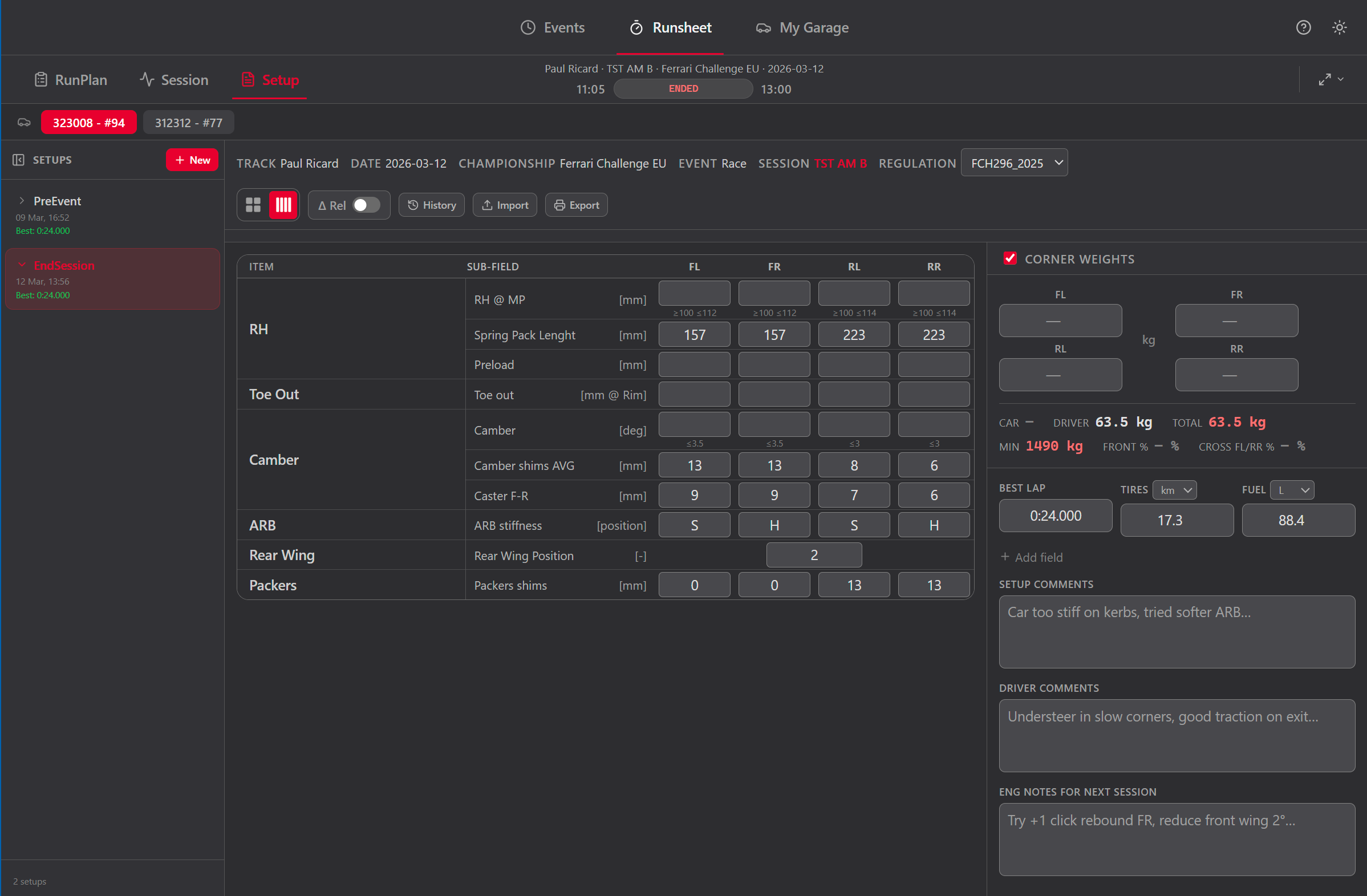
Build and save your car setup for each session. The butterfly layout shows per-corner parameters (FL, FR, RL, RR) exactly how you think about them: left side on the left, right side on the right, labels in the center.
Per-corner, per-axle, and global parameters. Symmetric copy mirrors left values to the right side in one click.
When a regulation set is active, out-of-range values are highlighted. BoP parameters (Turbo Boost, Lambda, fuel load) appear as editable fields.
Optional weights section with Front % and Cross Weight % calculated automatically. Minimum weight warning from the active regulation set.
Best lap, tire mileage, fuel at start, and driver comments are saved with every sheet. Full context is always preserved.
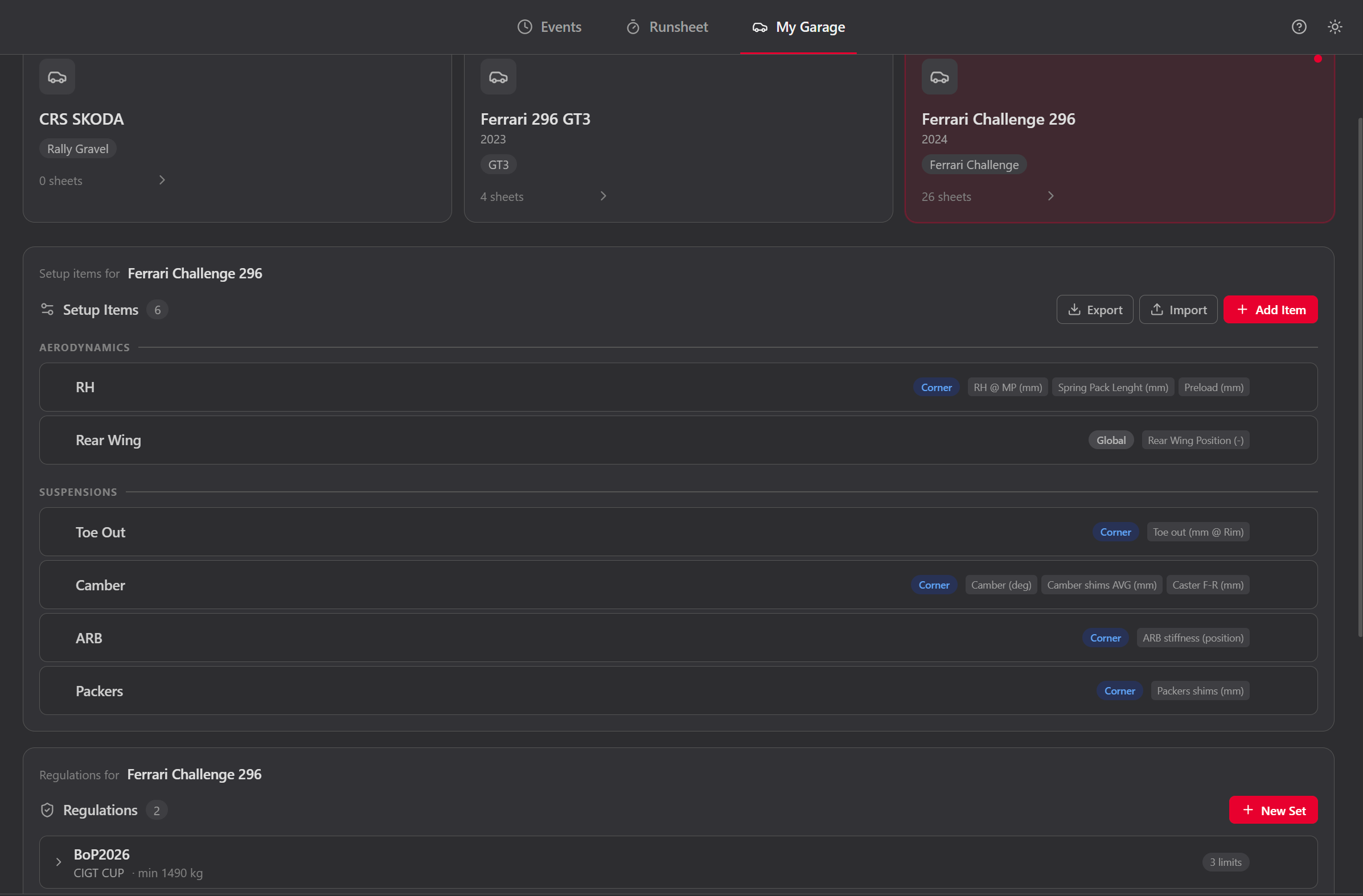
My Garage is your fleet manager. Add vehicles, configure setup templates, manage dropdown lists, define parameter relations, and use the built-in calculator to compute mechanical corrections.
Start from a built-in template (Ferrari 296 GT3, Generic GT3/Cup, Generic Formula) or build your own. Add groups, parameters, units, and per-corner/per-axle layout.
Tracks, drivers, event types, session types, engineers, mechanics, chassis numbers. Each list populates the dropdowns across the app.
Define sensitivity coefficients: "1 turn Preload = 3.02 mm Ride Height". The app uses these to propagate corrections through the parameter chain.
Enter current and target geometry. The calculator solves the linear system and tells you exactly how many turns, shims, or faces to change — accounting for cross-coupling between parameters.
Each engineer runs the app independently on their laptop. At the end of a session, export everything as a single JSON file. The team manager imports all cars into one app instance. No cloud, no sync conflicts — just files.
Logs events, sessions, setups, and runsheets on their own laptop
Export the full event or individual sessions as one JSON file
Hand the file via USB, shared folder, or any method you prefer
Imports files from every car into one app — full fleet overview
Everything an engineer needs. Nothing they don't.
GT3, Ferrari Challenge, prototypes, touring, kart, formula. One app, any car, any series.
SQLite database stored locally. Works in the paddock with zero signal. Your data never leaves your machine.
Define BoP limits per parameter. Out-of-range values are flagged. Turbo Boost, Lambda, and fuel load appear as BoP fields.
Configure any number of sector splits. Best sector times are highlighted across the session.
Manage tyre sets per session. Track usage per run and see total mileage for each set.
New versions download in the background and install on next launch. No manual download needed.
Switch themes with one click. Dark mode is default — optimized for garage and pit lane screens.
Built-in timer with pause, reset, and remaining time display. Runs in the header, always visible.
Print run plans, export runsheets to clipboard or file. Clean layouts optimized for paper and post-session reports.
Fill in the form below and click Download. A license key will be sent to your email after verification. Includes a 6-month free trial.